Skip to content

Portable Wearable Blanket (55"x69") Guidebook

Won’t work Step 1: Check the controller Please check the silicone power button is not wrapped in the product or placed near other heat sources, as overheating may trigger the self-protection mode. Step 2: Unplug the power cord Unplug the power cord, and then disconnect the cable. Step 3: Check the power source Reconnect the cable, press and hold the Power Button for 3 seconds to turn the blanket on. This should resolve most errors or black screen issues. Step 4: Contact customer service team If the issue persists after multiple attempts, please contact our customer service team for assistance. Note: When the blanket is powered by the power bank, please do not charge other electronic devices at the same time as this may cause an error. Won't heat evenly or warm enough   ⭐Won't heat evenly For optimal heating performance, please wear the blanket evenly. Avoid excessive folding or twisting of it, and avoid putting heavy objects on it. ⭐Won't warm enough When the weather is too cold or the room temperature is too low, please press the button on your blanket to set it for the highest heating level (04).   Note: Refer to the user manual for information on the exact location of the button and instructions on how to adjust the temperature, as they may vary by brand or model. Wait for 15-20 minutes so your heated wearable heats up. For better heat transfer, wear fitted clothing and wrap the blanket closely around your body. If the warmth is still insufficient, you may cover it with other regular bedding products (e.g., blanket, comfortor, quilt, etc.) according to your personal needs for enhanced insulation. Note: Please do not use your heated wearable with other heated products simultaneously. First-time setup   ⭐Packaging opening   When opening the packaging, please avoid damaging the product. Vacuum packing may slightly affect the fluffiness of the fabric; simply shake it out gently, and it will naturally restore fluffiness within 24-48 hours. ⭐The correct steps for powering on   ⭐The portable wearable blanket supports two power options Fixed power source: Please connect the Connecting Cable ('5') to Power Connector ('3') and Adapter ('6') , then plug into an AC outlet (100~240V - 50/60Hz). Press and hold the Power Switch ('2') for 3 seconds to turn the blanket on.   Portable power source:  Please connect the Power Connector ('3') to the Type-C plug of the Power Bank ('4'). Then, turn on the Power Bank. Press and hold the Power Switch ('2') for 3 seconds to turn the blanket on.  Note: Smart Eco-Sleep Mode - After the blanket is turned off, the power bank will enter standby to save energy. Press the button on the blanket or replug the cable to reactivate power.   *For first use, please ensure the Power Bank ('4') is fully charged using our Adapter ('6') with Connecting Cable ('5').     Portable Blanket Usage Guidelines ⭐Temperature & Timing Settings Press ☀ and hold the Power Button for 3 seconds to turn it on. ☀: Tap once to switch between 4 heat settings (01-02-03-04). ⏰: Tap once to switch between 4 time settings (1H-2H-3H-4H). To turn off at any setting, press ☀ and hold the Power Button for 3 seconds. The power will automatically turn off after 3 hours if no timer setting is selected. Note: It is recommended to wear clothing when wearing the heated blanket to avoid low-temperature scalds. ⭐Power Bank Usage Guidelines   Due to shipping safety regulations, the Power Bank in the package may not be fully charged. For first use, please charge it with our adapter. Smart Eco-Sleep Mode: After the blanket is turned off, the power bank will enter standby to save energy. Press the button on the blanket or replug the cable to reactivate power.   Do not charge any other devices when the Power Bank is powering the wearable blanket. Do not simultaneously power the wearable blanket if the Power Bank is being charged. Disconnect the Power Bank and Connecting Cable before washing the wearable blanket. Why does the product size seem different than expected?   The Throw-size heated wearable shaggy sherpa blanket measures 55"x69" and fits a wide range of users. When the side snap buttons are fully opened, it can also be used as a rectangular electric blanket, allowing you to switch between styles based on your needs. Washing and Maintenance     Before washing, please unplug the power cord and power bank first. Disconnect the cables. Allow your heated blanket to cool down for 20-30 minutes. Keep the power bank and plug dry and away from water. ⭐Washing Instructions   Use the mesh laundry bag if machine wash. Presoak in cold water with mild soap for 15 minutes. Hand washing or machine washing on a gentle cycle with mild soap and cold water. Rinse thoroughly in fresh cold water. Spin dry and gently stretch to its original size. Avoid using a wringer to prevent damage. ⭐Drying Instructions   Air Drying: Hang over two parallel lines. Avoid using clothes pins. Machine Drying: Please use a household dryer only; do not use commercial or laundromat dryers. Preheat the dryer on the low temperature setting for 2 minutes, then tumble dry the blanket. Remove while still damp, gently stretch to its original size, and hang it on a line or shower rail to air dry completely. Note: After washing and drying, ensure both the blanket and connector are completely dry before plugging it in. ⭐Maintenance   Ensure the product is completely cool and thoroughly dry before storing it. Loosely loop the cord to prevent damage or tangling. Store the product in a well-ventilated, dry area. Note: For long-term storage, please avoid excessive folding or twisting of the product, and do not sit on it or place heavy objects on it to maintain optimal heating performance.  

Keep reading
Heated Wearable Blanket with Foot Pocket-50''x71''

Heated Wearable Blanket with Foot Pocket-50''x71''

Won’t work Step 1: Check the controller Please check the controller is not wrapped in the product or placed near other heat sources, as overheating may trigger the self-protection mode. Step 2: Unplug the power cord Unplug the power cord, and then disconnect the coupler. Step 3: Check the power source Confirm that you are using a 120V AC power source. Connect another working device to the same power outlet to confirm that the outlet is working.Reconnect the coupler, plug in the power outlet, and turn it back on. This should resolve most errors or black screen issues. Step 4: Contact customer service team If the issue persists after multiple attempts, please contact our customer service team for assistance.   Won't heat evenly or warm enough     Won't heat evenly   For optimal heating performance, please lay the product flat during use. Avoid excessive folding or twisting of it, and do not sit on it or place heavy objects on it.     Won't warm enough 1. When the weather is too cold or the room temperature is too low, please press the Temperature Up button on your electric blanket to increase the temperature.The highest heating level is '06'. Note: Refer to the user manual for information on the exact location of the Temperature Up button and instructions on how to adjust the temperature, as they may vary by brand or model. 2. Wait for 15-20 minutes so your electric blanket heats up. 3. If the warmth is still insufficient, you may cover it with other regular bedding products (e.g., blanket, comfortor, quilt, etc.) according to your personal needs for enhanced insulation. Note: Please do not use your electric blanket with other heated products simultaneously.   Why is there no heating wire at the edge of the blanket? According to safety regulations requirements, the heating wire must maintain a safe distance from the edge of the blanket. To ensure safe use and avoid risks, the heating wire is usually arranged in the central large area, and always maintains a safe distance from all sides of the blanket.     First-time setup   Packaging opening When opening the packaging, please avoid damaging the product. Vacuum packing may slightly affect the fluffiness of the fabric; simply shake it out gently, and it will naturally restore fluffiness within 24-48 hours.   The correct steps for powering on Step 1: Please connect the coupler to the product securely before plugging it into a working power outlet. Step 2: Press the Power Button on your electric blanket to turn it ON. Note: Refer to the user manual for information on the exact location of the Power Button, as it may vary by brand or model. Step 3: Press the Temperature Up or Down button on your electric blanket to adjust the temperature. Note: Refer to the user manual for information on the exact location of the Temperature Up or Down button and instructions on how to adjust the temperature, as they may vary by brand or model.Allow your electric blanket to reach the desired level.   What if the controller doesn't match the product? A. Please check that the MODEL NUMBER on the product label matches the MODEL NUMBER on the back of the controller. If there are any issues, please contact our customer service team.   B. Please use the included Bedsure controller, and do not use controllers from any other brand.   What if the controller feels too hot? Please check the controller is not wrapped in the product or placed near other heat sources when in use. Keep it visible during use.If the problem still cannot be resolved, please follow the steps below: A. Turn OFF your electric blanket. B. Unplug the power cord of your electric blanket from the power outlet. C. Allow your electric blanket and controller to cool down for 20-30 minutes. D. Please check the controller is not wrapped in the product or placed near other heat sources when in use. Keep it visible during use. Why does the product size seem different than expected? The dimensions of the heated wearable blanket are 50x71 inches, with an 18-inch foot pocket. These specifications outperform 99% of competing products on the market. Product dimension diagrams and photos of models of different genders wearing the blanket are provided below for reference.   Three methods to use     Use as wearable blanket     Use as Foot Warmer   Use as a normal heated blanket     Washing and Maintenance   Warning Before cleaning, please unplug the power cord first. Disconnect the coupler. Allow your electric blanket to cool down for 20-30 minutes. Keep the controller and plug dry. Washing Instructions Presoak in cold water with mild soap for 15 minutes. Machine washing on a gentle cycle with mild soap and cold water.  Rinse thoroughly in fresh cold water. Spin dry and gently stretch to its original size. Avoid using a wringer to prevent damage. Drying Instructions Air Drying: Hang over two parallel lines. Avoid using clothes pins. Machine Drying:  Please use a household dryer only; do not use commercial or laundromat dryers. Preheat the dryer on the low temperature setting for 2 minutes, then tumble dry the electric blanket. Remove while still damp, gently stretch to its original size, and hang it on a line or shower rail to air dry completely. Note: After washing and drying, ensure both the blanket and coupler are completely dry before plugging it in.   Maintenance Ensure the product is completely cool and thoroughly dry before storing it. Loosely loop the cord to prevent damage or tangling. Store the product in a well-ventilated, dry area. Note: For long-term storage, please avoid excessive folding or twisting of the product, and do not sit on it or place heavy objects on it to maintain optimal heating performance.

Keep reading
Portable Wearable Blanket (22"x43") Guidebook

Portable Wearable Blanket (22"x43") Guidebook

Won’t work Step 1: Check the controller Please check the silicone power button is not wrapped in the product or placed near other heat sources, as overheating may trigger the self-protection mode. Step 2: Unplug the power cord Unplug the power cord, and then disconnect the cable. Step 3: Check the power source Reconnect the cable, press and hold the Power Button for 3 seconds to turn the blanket on. This should resolve most errors or black screen issues. Step 4: Contact customer service team If the issue persists after multiple attempts, please contact our customer service team for assistance. Note: When the blanket is powered by the power bank, please do not charge other electronic devices at the same time as this may cause an error. Won't heat evenly or warm enough Won't heat evenly For optimal heating performance, please wear the blanket evenly. Avoid excessive folding or twisting of it, and avoid putting heavy objects on it. Won't warm enough A. When the weather is too cold or the room temperature is too low, please press the button on your blanket to set it for the highest heating level (04).   Note: Refer to the user manual for information on the exact location of the button and instructions on how to adjust the temperature, as they may vary by brand or model. B. Wait for 15-20 minutes so your heated wearable heats up.C. For better heat transfer, wear fitted clothing and wrap the blanket closely around your body.D. If the warmth is still insufficient, you may cover it with other regular bedding products (e.g., blanket, comfortor, quilt, etc.) according to your personal needs for enhanced insulation.Note: Please do not use your heated wearable with other heated products simultaneously. First-time setup   Packaging opening When opening the packaging, please avoid damaging the product. Vacuum packing may slightly affect the fluffiness of the fabric; simply shake it out gently, and it will naturally restore fluffiness within 24-48 hours. The correct steps for powering on The portable wearable blanket supports two power options: Fixed power source: Please connect the Connecting Cable ('5') to Power Connector ('3') and Adapter ('6') , then plug into an AC outlet (100~240V - 50/60Hz).Press and hold the Power Switch ('2') for 3 seconds to turn the blanket on.  Portable power source: Please connect the Power Connector ('3') to the Type-C plug of the Power Bank ('4'). Then, turn on the Power Bank.Press and hold the Power Switch ('2') for 3 seconds to turn the blanket on. Note: Smart Eco-Sleep Mode - After the blanket is turned off, the power bank will enter standby to save energy. Press the button on the blanket or replug the cable to reactivate power. *For first use, please ensure the Power Bank ('4') is fully charged using our Adapter ('6') with Connecting Cable ('5'). Portable Blanket Usage Guidelines Temperature & Timing Settings Press ☀ and hold the Power Button for 3 seconds to turn it on.☀: Tap once to switch between 4 heat settings (01-02-03-04).⏰: Tap once to switch between 4 time settings (1H-2H-3H-4H).To turn off at any setting, press ☀ and hold the Power Button for 3 seconds.The power will automatically turn off after 3 hours if no timer setting is selected.Note: It is recommended to wear clothing when wearing the heated blanket to avoid low-temperature scalds. Power Bank Usage Guidelines Due to shipping safety regulations, the Power Bank in the package may not be fully charged. For first use, please charge it with our adapter. Smart Eco-Sleep Mode: After the blanket is turned off, the power bank will enter standby to save energy. Press the button on the blanket or replug the cable to reactivate power. Do not charge any other devices when the Power Bank is powering the wearable blanket. Do not simultaneously power the wearable blanket if the Power Bank is being charged. Disconnect the Power Bank and Connecting Cable before washing the wearable blanket. Why does the product size seem different than expected?   The heated wearable faux cashmere blanket comes in one Standard size (22"x43") and fits most users.The waist area includes an adjustable drawstring that allows you to tighten or loosen the fit according to your body shape and comfort preference.     Washing and Maintenance   Warning A. Before cleaning, please unplug the power cord first. B. Disconnect the cables. Allow your heated blanket to cool down for 20-30 minutes. C. Keep the power bank and adapter dry. Washing Instructions A. Use the mesh laundry bag if machine wash.B. Presoak in cold water with mild soap for 15 minutes.C. Hand washing or machine washing on a gentle cycle with mild soap and cold water.D. Rinse thoroughly in fresh cold water.E. Spin dry and gently stretch to its original size. Avoid using a wringer to prevent damage. Drying Instructions Air Drying: Hang over two parallel lines. Avoid using clothes pins. Machine Drying: A. Please use a household dryer only; do not use commercial or laundromat dryers.B. Preheat the dryer on the low temperature setting for 2 minutes, then tumble dry the blanket.C. Remove while still damp, gently stretch to its original size, and hang it on a line or shower rail to air dry completely.Note: After washing and drying, ensure both the blanket and connector are completely dry before plugging it in. Maintenance   A. Ensure the product is completely cool and thoroughly dry before storing it. B. Loosely loop the cord to prevent damage or tangling. C. Store the product in a well-ventilated, dry area. Note: For long-term storage, please avoid excessive folding or twisting of the product, and do not sit on it or place heavy objects on it to maintain optimal heating performance.

Keep reading
Heating Pad Guidebook | Heating Pad for Back and Neck

Heating Pad Guidebook | Heating Pad for Back and Neck

  Won’t work   Step 1: Check the controller Please check the controller is not wrapped in the product or placed near other heat sources, as overheating may trigger the self-protection mode.   Step 2: Unplug the power cord Unplug the power cord, and then disconnect the coupler.   Step 3: Check the power source Confirm that you are using a 120V AC power source. Connect another working device to the same power outlet to confirm that the outlet is working.Reconnect the coupler, plug in the power outlet, and turn it back on. This should resolve most errors or black screen issues.   Step 4: Contact customer service team If the issue persists after multiple attempts, please contact our customer service team for assistance.   Won't heat evenly or warm enough     Won't heat evenly For optimal heating performance, please avoid excessive folding or twisting of it flat during use, and do not sit on it or place heavy objects on it.   Won't warm enough A. When the weather is too cold or the room temperature is too low, please press the Temperature Up button on your heating pad to increase the temperature. The highest temperature is 150℉. Note: Refer to the user manual for information on the exact location of the Temperature Up button and instructions on how to adjust the temperature, as they may vary by brand or model. B. Please wait for 15-20 minutes so your heating pad heats up. C. For better heating performance, you can try to wear fitted clothing and adjust the belt to wrap the heating pad closely around your body. Note: Please do not use your heating pad with other heated products simultaneously.     First-time setup     Packaging opening When opening the packaging, please avoid damaging the product. Packing may slightly affect the fluffiness of the fabric; simply shake it out gently, and it will naturally restore fluffiness within 24-48 hours.   The correct steps for powering on Step 1: Please connect the coupler to the product securely before plugging it into a working power outlet. Step 2: Press the Power Button on the controller to turn it ON. Step 3: Press the Up or Down button on your heating pad to adjust the temperature and timer. Allow your heating pad to reach the desired level.   What if the controller feels too hot? Please check the controller is not wrapped in the product or placed near other heat sources when in use. Keep it visible during use.If the problem still cannot be resolved, please follow the steps below: Turn OFF your heating pad. Unplug the power cord of your heating pad from the power outlet. Allow your heating pad and controller to cool down for 20-30 minutes. Reconnect the coupler, plug in the power outlet, and turn it back on. Please check the controller is not wrapped in the product or placed near other heat sources when in use. Keep it visible during use.     Heating Pad Usage Guidelines Parts   Wearing methods Please choose the appropriate way of wearing methods according to your personal preference.   Controller Components & Function Description How the controller works     Mode 1 - NormalThis mode offers 3 timer settings: 1 hour,1.5 hours, and 2 hours. You can choose from 6 heat levels, with amaximum temperature of 150°F-similar to a standard heating pad,ideal for temporary relief and comfort.     Mode 2 - ExtendedIf you select a timer longer than 2 hours (such as 3H or 4H), the product will function normally during the first 2 hours with all 6 heat levels available. Starting from the third hour, to help prevent low-temperature burns from prolonged exposure, the controller will automatically reduce the heat to a maximum of level 3 (120°F). This ensures continued warmth and mild therapy while maintaining user safety.   Why does the product size seem different than expected? The L size heating pad measures 24"x34", and the XL size measures 24"x38". You can choose the size that best fits your body and preference.The XL size provides more coverage. The neck area comes with snap buttons for adjustable use. Please choose the appropriate way of wearing methods according to your personal preference.And the waist belt can be tightened or loosened for a customized fit, meeting the needs of most users.   Washing and Maintenance   Warning A. Before washing, please unplug the power cord first.B. Disconnect the coupler. Allow your heating pad to cool down for 20-30 minutes.C. Keep the controller and plug dry.   Washing Instructions A. Use the mesh laundry bag.B. Presoak in cold water with mild soap for 15 minutes. C. Hand wash or machine wash on a gentle cycle with mild soap and cold water. D. Rinse thoroughly in fresh cold water. E. Spin dry and gently stretch to its original size. Avoid using a wringer to prevent damage.   Drying Instructions Air Drying: Hang over two parallel lines. Avoid using clothes pins.Machine Drying: A. Please use a household dryer only; do not use commercial or laundromat dryers. B. Preheat the dryer on the low temperature setting for 2 minutes. C. Remove while still damp, gently stretch to its original size, and hang it on a line or shower rail to air dry completely.Note: After washing and drying, ensure both the pad and coupler are completely dry before plugging it in. Maintenance A. Ensure the product is completely cool and thoroughly dry before storing it.B. Loosely loop the cord to prevent damage or tangling.C. Store the product in a well-ventilated, dry area.Note: For long-term storage, please avoid excessive folding or twisting of the product, and do not sit on it or place heavy objects on it to maintain optimal heating performance.  

Keep reading
Heating Pad for Back, Neck and Abdomen-24x34

Heating Pad for Back, Neck and Abdomen-24x34

  Won’t work Step 1: Check the controller Please check the controller is not wrapped in the product or placed near other heat sources, as overheating may trigger the self-protection mode.   Step 2: Unplug the power cord Unplug the power cord, and then disconnect the coupler.   Step 3: Check the power source Confirm that you are using a 120V AC power source. Connect another working device to the same power outlet to confirm that the outlet is working.Reconnect the coupler, plug in the power outlet, and turn it back on. This should resolve most errors or black screen issues.   Step 4: Contact customer service team If the issue persists after multiple attempts, please contact our customer service team for assistance.   Won't heat evenly or warm enough     Won't heat evenly For optimal heating performance, please avoid excessive folding or twisting of it flat during use, and do not sit on it or place heavy objects on it.   Won't warm enough A. When the weather is too cold or the room temperature is too low, please press the Temperature Up button on your heating pad to increase the temperature. The highest temperature is 150℉. Note: Refer to the user manual for information on the exact location of the Temperature Up button and instructions on how to adjust the temperature, as they may vary by brand or model. B. Please wait for 15-20 minutes so your heating pad heats up. C. For better heating performance, you can try to wear fitted clothing and adjust the belt to wrap the heating pad closely around your body. Note: Please do not use your heating pad with other heated products simultaneously.     First-time setup     Packaging opening When opening the packaging, please avoid damaging the product. Packing may slightly affect the fluffiness of the fabric; simply shake it out gently, and it will naturally restore fluffiness within 24-48 hours.   The correct steps for powering on Step 1: Please connect the coupler to the product securely before plugging it into a working power outlet. Step 2: Press the Power Button on the controller to turn it ON. Step 3: Press the Up or Down button on your heating pad to adjust the temperature and timer. Allow your heating pad to reach the desired level.   What if the controller feels too hot? Please check the controller is not wrapped in the product or placed near other heat sources when in use. Keep it visible during use.If the problem still cannot be resolved, please follow the steps below: Turn OFF your heating pad. Unplug the power cord of your heating pad from the power outlet. Allow your heating pad and controller to cool down for 20-30 minutes. Reconnect the coupler, plug in the power outlet, and turn it back on. Please check the controller is not wrapped in the product or placed near other heat sources when in use. Keep it visible during use.   Heating Pad Usage Guidelines   Parts   Wearing methods Please choose the appropriate way of wearing methods according to your personal preference. Adjustable Belt Design The heating pad comes with belt that helps you adjust the size to fit people of different weights. You can free your hands while reading, doing housework or watching TV without worrying about it falling or moving.     Controller Components & Function Description   How the controller works   Mode 1 - Normal This mode offers 3 timer settings: 1 hour, 1.5 hours, and 2 hours. You can choose from 6 heat levels, with amaximum temperature of 150°F-similar to a standard heating pad, ideal for temporary relief and comfort. Mode 2 - Extended If you select a timer longer than 2 hours (such as 3H or 4H), the product will function normally during the first 2 hours with all 6 heat levels available. Starting from the third hour, to help prevent low-temperature burns from prolonged exposure, the controller will automatically reduce the heat to a maximum of level 3 (120°F). This ensures continued warmth and mild therapy while maintaining user safety.     Why does the product size seem different than expected?     The L size abdominal heating pad measures 24"x34" and fits a wide range of users.The neck area features snap buttons for flexible wearing options. Please choose the appropriate way of wearing methods according to your personal preference.And the abdominal belt uses Velcro for adjustable tightness, ensuring a comfortable fit for most users.     Washing and Maintenance   Warning Before washing, please unplug the power cord first. Disconnect the coupler. Allow your heating pad to cool down for 20-30 minutes. Keep the controller and plug dry.   Washing Instructions   A. Fasten Velcro to avoid snagging. B. Use the mesh laundry bag.C. Presoak in cold water with mild soap for 15 minutes. D. Hand wash or machine wash on a gentle cycle with mild soap and cold water. E. Rinse thoroughly in fresh cold water. F. Spin dry and gently stretch to its original size. Avoid using a wringer to prevent damage.   Drying Instructions Air Drying: Hang over two parallel lines. Avoid using clothes pins.Machine Drying:  Please use a household dryer only; do not use commercial or laundromat dryers. Preheat the dryer on the low temperature setting for 2 minutes. Remove while still damp, gently stretch to its original size, and hang it on a line or shower rail to air dry completely. Note: After washing and drying, ensure both the pad and coupler are completely dry before plugging it in.   Maintenance Ensure the product is completely cool and thoroughly dry before storing it. Fasten Velcro to avoid snagging. Loosely loop the cord to prevent damage or tangling. Store the product in a well-ventilated, dry area. Note: For long-term storage, please avoid excessive folding or twisting of the product, and do not sit on it or place heavy objects on it to maintain optimal heating performance.
Keep reading
Heating Pad Guidebook | Heating Pad for Feet, Back, and Full Body

Heating Pad Guidebook | Heating Pad for Feet, Back, and Full Body

First-time setup Packaging opening When opening the packaging, please avoid damaging the product. Packing may slightly affect the fluffiness of the fabric; simply shake it out gently, and it will naturally restore fluffiness within 24-48 hours. The correct steps for powering on Step 1: Please connect the coupler to the product securely before plugging it into a working power outlet. Step 2: Press the Power or ON/OFF button on your heating pad to turn it ON. Note: Refer to the user manual for information on the exact location of the Power or ON/OFF button, as it may vary by brand or model. Step 3: Press the Temperature Up or Down button on your heating pad to adjust the temperature. Note: Refer to the user manual for information on the exact location of the Temperature Up or Down button and instructions on how to adjust the temperature, as they may vary by brand or model. Allow your heating pad to reach the desired level. What if the controller doesn't match the product? A. Please check that the MODEL NUMBER on the product label matches the MODEL NUMBER on the back of the controller. If there are any issues, please contact our customer service team. B. Please use the included Bedsure controller, and do not use controllers from any other brand. What if the controller feels too hot? A. Turn OFF your heating pad. B. Unplug the power cord of your heating pad from the power outlet. C. Allow your heating pad and controller to cool down for 20-30 minutes. D. Please check the controller is not wrapped in the product or placed near other heat sources when in use. Keep it visible during use. Won’t work Step 1: Check the controller Please check the controller is not wrapped in the product or placed near other heat sources, as overheating may trigger the self-protection mode. Step 2: Unplug the power cord Unplug the power cord, and then disconnect the coupler. Step 3: Check the power source Confirm that you are using a 120V AC power source. Connect another working device to the same power outlet to confirm that the outlet is working. Reconnect the coupler, plug in the power outlet, and turn it back on. This should resolve most errors or black screen issues. Step 4: Contact customer service team If the issue persists after multiple attempts, please contact our customer service team for assistance. Won't heat evenly or warm enough Won't heat evenly For optimal heating performance, please avoid excessive folding or twisting of it flat during use, and do not sit on it or place heavy objects on it. Won't warm enough A. When the weather is too cold or the room temperature is too low, please press the Temperature Up button on your heating pad to increase the temperature. Note: Refer to the user manual for information on the exact location of the Temperature Up button and instructions on how to adjust the temperature, as they may vary by brand or model. B. Wait for 10-15 minutes so your heating pad heats up. C. If the warmth is still insufficient, you can try to make the product fit your body better and experience more warmth. Note: Please do not use your heating pad with other heated products simultaneously.   Heating Pad Usage Guidelines Parts Connect the Controller Connector "⑦" to the Pad Connector "③" and then plug the Power Cord "⑨" into the wall outlet. Two ways to use A. Use as Heating Pad For waist, abdomen, shoulders, legs, and back. B. Use as Foot Warmer Washing and Maintenance Warning A. Before cleaning, please unplug the power cord first. B. Disconnect the coupler. Allow your heating pad to cool down for 20-30 minutes. C. Keep the controller and plug dry. Washing Instructions A. Use the mesh laundry bag. B. Presoak in cold water with mild soap for 15 minutes. C. Hand wash or machine wash on a gentle cycle with mild soap and cold water. D. Rinse thoroughly in fresh cold water. E. Spin dry and gently stretch to its original size. Avoid using a wringer to prevent damage. Drying Instructions Air Drying: Hang over two parallel lines. Avoid using clothes pins. Machine Drying: A. Please use a household dryer only; do not use commercial or laundromat dryers. B. Preheat the dryer on the low temperature setting for 2 minutes. C. Remove while still damp, gently stretch to its original size, and hang it on a line or shower rail to air dry completely. Note: After washing and drying, ensure both the pad and coupler are completely dry before plugging it in. Maintenance A. Ensure the product is completely cool and thoroughly dry before storing it. B. Loosely loop the cord to prevent damage or tangling. C. Store the product in a well-ventilated, dry area. Note: For long-term storage, please avoid excessive folding or twisting of the product, and do not sit on it or place heavy objects on it to maintain optimal heating performance.  

Keep reading
Heated Blanket Guidebook

Heated Blanket Guidebook

First-time setup Packaging opening When opening the packaging, please avoid damaging the product. Vacuum packing may slightly affect the fluffiness of the fabric; simply shake it out gently, and it will naturally restore fluffiness within 24-48 hours. The correct steps for powering on Step 1: Please connect the coupler to the product securely before plugging it into a working power outlet. Step 2: Press the Power or ON/OFF button on your electric blanket to turn it ON. Note: Refer to the user manual for information on the exact location of the Power or ON/OFF button, as it may vary by brand or model. Step 3: Press the Temperature Up or Down button on your electric blanket to adjust the temperature. Note: Refer to the user manual for information on the exact location of the Temperature Up or Down button and instructions on how to adjust the temperature, as they may vary by brand or model. Allow your electric blanket to reach the desired level. What if the controller doesn't match the product? A. Please check that the MODEL NUMBER on the product label matches the MODEL NUMBER on the back of the controller. If there are any issues, please contact our customer service team. Throw/Twin/Full: Queen/King: B. Please use the included Bedsure controller, and do not use controllers from any other brand. What if the controller feels too hot? A. Turn OFF your electric blanket. B. Unplug the power cord of your electric blanket from the power outlet. C. Allow your electric blanket and controller to cool down for 20-30 minutes. D. Please check the controller is not wrapped in the product or placed near other heat sources when in use. Keep it visible during use. Why does the product size seem different than expected? The size of the heated blanket should be selected based on gender, height, and weight. Please refer to the diagram below and choose the appropriate size (Throw/Twin/Full/Queen/King) according to your actual situation. Won’t work Step 1: Check the controller Please check the controller is not wrapped in the product or placed near other heat sources, as overheating may trigger the self-protection mode. Step 2: Unplug the power cord Unplug the power cord, and then disconnect the coupler. Step 3: Check the power source Confirm that you are using a 120V AC power source. Connect another working device to the same power outlet to confirm that the outlet is working. Reconnect the coupler, plug in the power outlet, and turn it back on. This should resolve most errors or black screen issues. Step 4: Contact customer service team If the issue persists after multiple attempts, please contact our customer service team for assistance. Won't heat evenly or warm enough Won't heat evenly For optimal heating performance, please lay the product flat during use. Avoid excessive folding or twisting of it, and do not sit on it or place heavy objects on it. Won't warm enough A. When the weather is too cold or the room temperature is too low, please press the Temperature Up button on your electric blanket to increase the temperature. Note: Refer to the user manual for information on the exact location of the Temperature Up button and instructions on how to adjust the temperature, as they may vary by brand or model. B. Wait for 10-15 minutes so your electric blanket heats up. C. If the warmth is still insufficient, you may pair it with other regular bedding products according to your personal needs for enhanced insulation. Note: Please do not use your electric blanket with other heated products simultaneously. Washing and Maintenance Warning A. Before cleaning, please unplug the power cord first. B. Disconnect the coupler. Allow your electric blanket to cool down for 20-30 minutes. C. Keep the controller and plug dry. Washing Instructions A. Presoak in cold water with mild soap for 15 minutes. B. Machine washing on a gentle cycle with mild soap and cold water. C. Rinse thoroughly in fresh cold water. D. Spin dry and gently stretch to its original size. Avoid using a wringer to prevent damage. Drying Instructions Air Drying: Hang over two parallel lines. Avoid using clothes pins. Machine Drying: A. Please use a household dryer only; do not use commercial or laundromat dryers. B. Preheat the dryer on the low temperature setting for 2 minutes, then tumble dry the electric blanket. C. Remove while still damp, gently stretch to its original size, and hang it on a line or shower rail to air dry completely. Note: After washing and drying, ensure both the blanket and coupler are completely dry before plugging it in. Maintenance A. Ensure the product is completely cool and thoroughly dry before storing it. B. Loosely loop the cord to prevent damage or tangling. C. Store the product in a well-ventilated, dry area. Note: For long-term storage, please avoid excessive folding or twisting of the product, and do not sit on it or place heavy objects on it to maintain optimal heating performance.
Keep reading

Portable Heating Pad Guidebook

Parts How to use the two power options for the Portable Heating Pad? The heated wearable blanket hoodie supports two power options: Fixed power source:  Please connect Adapter ('8') to Power Connector ('4'), and plug it into an AC outlet (100~240V - 50/60Hz). Press and hold the heating pad's Power Button ('1') for 3 seconds to start. Portable power source:  Please connect Connecting Cable ('6') to the Type-C plug of the 9V Power Bank ('7') and Power Connector('4'). Then, turn on Power Bank. Press and hold the heating pad's Power Button ('1') for 3 seconds to start. *For first use, please ensure the power bank is fully charged using your own standard certified 5V/2A adapter.   Two ways to use Use as Hand Warmer Step1: Zip upStep2: Put hands in                              Use as Hand Pad  Step1: Unzip and lay it flat Step2: Thread the hidden belt through the buckle Step3: Turn on     Temperature settings Press and hold the Power Button for 3 seconds to start. Tap once to switch between 6 heat settings. (104°F - 113°F - 122°F - 131°F - 140°F - 149°F) To turn off at any setting, press and hold the Power Button for 3 seconds. The power will automatically turn off if there's no activity for 2 hours during normal use. Please unplug the product when it is not in use. Washing and Maintenance Warning A. Before cleaning, please unplug the power cord first. B. Disconnect the cables. Allow your heating pad to cool down for 20-30 minutes. C. Keep the connectors and plug dry. Washing Instructions A. Use the mesh laundry bag if machine wash. B. Presoak in cold water with mild soap for 15 minutes. C. Hand washing or machine washing on a gentle cycle with mild soap and cold water. D. Rinse thoroughly in fresh cold water. E. Spin dry and gently stretch to its original size. Avoid using a wringer to prevent damage. Drying Instructions A. Line dry or lay the Pad flat to dry. B. Do not tumble dry. Note: After washing and drying, ensure both the pad and coupler are completely dry before plugging it in.  Maintenance A. Ensure the product is completely cool and thoroughly dry before storing it.B. Loosely loop the cord to prevent damage or tangling.C. Store the product in a well-ventilated, dry area.Note: For long-term storage, please avoid excessive folding or twisting of the product, and do not sit on it or place heavy objects on it to maintain optimal heating performance.  

Keep reading

Heating Pad for Neck and Shoulders Guidebook

First-time setup Packaging opening When opening the packaging, please avoid damaging the product. Vacuum packing may slightly affect the fluffiness of the fabric; simply shake it out gently, and it will naturally restore fluffiness within 24-48 hours. The correct steps for powering on Step 1: Please connect the coupler to the product securely before plugging it into a working power outlet. Step 2: Press the Power or ON/OFF button on your heating pad to turn it ON. Note: Refer to the user manual for information on the exact location of the Power or ON/OFF button, as it may vary by brand or model. Step 3: Press the Temperature Up or Down button on your heating pad to adjust the temperature. Note: Refer to the user manual for information on the exact location of the Temperature Up or Down button and instructions on how to adjust the temperature, as they may vary by brand or model. Allow your heating pad to reach the desired level. What if the controller doesn't match the product? A. Please check that the MODEL NUMBER on the product label matches the MODEL NUMBER on the back of the controller. If there are any issues, please contact our customer service team. B. Please use the included Bedsure controller, and do not use controllers from any other brand. What if the controller feels too hot? A. Turn OFF your heating pad. B. Unplug the power cord of your heating pad from the power outlet. C. Allow your heating pad and controller to cool down for 20-30 minutes. D. Please check the controller is not wrapped in the product or placed near other heat sources when in use. Keep it visible during use. Won’t work Step 1: Check the controller Please check the controller is not wrapped in the product or placed near other heat sources, as overheating may trigger the self-protection mode. Step 2: Unplug the power cord Unplug the power cord, and then disconnect the coupler. Step 3: Check the power source Confirm that you are using a 120V AC power source. Connect another working device to the same power outlet to confirm that the outlet is working. Reconnect the coupler, plug in the power outlet, and turn it back on. This should resolve most errors or black screen issues. Step 4: Contact customer service team If the issue persists after multiple attempts, please contact our customer service team for assistance. Won't heat evenly or warm enough Won't heat evenly For optimal heating performance, please avoid excessive folding or twisting of it flat during use, and do not sit on it or place heavy objects on it. Won't warm enough A. When the weather is too cold or the room temperature is too low, please press the Temperature Up button on your heating pad to increase the temperature. Note: Refer to the user manual for information on the exact location of the Temperature Up button and instructions on how to adjust the temperature, as they may vary by brand or model. B. Wait for 10-15 minutes so your heating pad heats up. C. If the warmth is still insufficient, you may pair it with other regular bedding products according to your personal needs for enhanced insulation. Note: Please do not use your heating pad with other heated products simultaneously. Washing and Maintenance Warning A. Before cleaning, please unplug the power cord first. B. Disconnect the coupler. Allow your heating pad to cool down for 20-30 minutes. C. Keep the controller and plug dry. Washing Instructions A. Use the mesh laundry bag. B. Presoak in cold water with mild soap for 15 minutes. C. Machine washing on a gentle cycle with mild soap and cold water. D. Rinse thoroughly in fresh cold water. E. Spin dry and gently stretch to its original size. Avoid using a wringer to prevent damage. Drying Instructions Air Drying: Hang over two parallel lines. Avoid using clothes pins. Machine Drying: A. Please use a household dryer only; do not use commercial or laundromat dryers. B. Preheat the dryer on the low temperature setting for 2 minutes, then tumble dry the heating pad. C. Remove while still damp, gently stretch to its original size, and hang it on a line or shower rail to air dry completely. Note: After washing and drying, ensure both the pad and coupler are completely dry before plugging it in. Maintenance A. Ensure the product is completely cool and thoroughly dry before storing it. B. Loosely loop the cord to prevent damage or tangling. C. Store the product in a well-ventilated, dry area. Note: For long-term storage, please avoid excessive folding or twisting of the product, and do not sit on it or place heavy objects on it to maintain optimal heating performance.

Keep reading

Heating Pad for Back Guidebook

First-time setup Packaging opening When opening the packaging, please avoid damaging the product. Vacuum packing may slightly affect the fluffiness of the fabric; simply shake it out gently, and it will naturally restore fluffiness within 24-48 hours. The correct steps for powering on Step 1: Please connect the coupler to the product securely before plugging it into a working power outlet. Step 2: Press the Power or ON/OFF button on your heating pad to turn it ON. Note: Refer to the user manual for information on the exact location of the Power or ON/OFF button, as it may vary by brand or model. Step 3: Press the Temperature Up or Down button on your heating pad to adjust the temperature. Note: Refer to the user manual for information on the exact location of the Temperature Up or Down button and instructions on how to adjust the temperature, as they may vary by brand or model. Allow your heating pad to reach the desired level. What if the controller doesn't match the product? A. Please check that the MODEL NUMBER on the product label matches the MODEL NUMBER on the back of the controller. If there are any issues, please contact our customer service team. B. Please use the included Bedsure controller, and do not use controllers from any other brand. What if the controller feels too hot? A. Turn OFF your heating pad. B. Unplug the power cord of your heating pad from the power outlet. C. Allow your heating pad and controller to cool down for 20-30 minutes. D. Please check the controller is not wrapped in the product or placed near other heat sources when in use. Keep it visible during use. Won’t work Step 1: Check the controller Please check the controller is not wrapped in the product or placed near other heat sources, as overheating may trigger the self-protection mode. Step 2: Unplug the power cord Unplug the power cord, and then disconnect the coupler. Step 3: Check the power source Confirm that you are using a 120V AC power source. Connect another working device to the same power outlet to confirm that the outlet is working. Reconnect the coupler, plug in the power outlet, and turn it back on. This should resolve most errors or black screen issues. Step 4: Contact customer service team If the issue persists after multiple attempts, please contact our customer service team for assistance. Won't heat evenly or warm enough Won't heat evenly For optimal heating performance, please avoid excessive folding or twisting of it flat during use, and do not sit on it or place heavy objects on it. Won't warm enough A. When the weather is too cold or the room temperature is too low, please press the Temperature Up button on your heating pad to increase the temperature. Note: Refer to the user manual for information on the exact location of the Temperature Up button and instructions on how to adjust the temperature, as they may vary by brand or model. B. Wait for 10-15 minutes so your heating pad heats up. C. If the warmth is still insufficient, you may pair it with other regular bedding products according to your personal needs for enhanced insulation. Note: Please do not use your heating pad with other heated products simultaneously. Washing and Maintenance Warning A. Before cleaning, please unplug the power cord first. B. Disconnect the coupler. Allow your heating pad to cool down for 20-30 minutes. C. Keep the controller and plug dry. Washing Instructions A. Use the mesh laundry bag. B. Presoak in cold water with mild soap for 15 minutes. C. Machine washing on a gentle cycle with mild soap and cold water. D. Rinse thoroughly in fresh cold water. E. Spin dry and gently stretch to its original size. Avoid using a wringer to prevent damage. Drying Instructions Air Drying: Hang over two parallel lines. Avoid using clothes pins. Machine Drying: A. Please use a household dryer only; do not use commercial or laundromat dryers. B. Preheat the dryer on the low temperature setting for 2 minutes, then tumble dry the heating pad. C. Remove while still damp, gently stretch to its original size, and hang it on a line or shower rail to air dry completely. Note: After washing and drying, ensure both the pad and coupler are completely dry before plugging it in. Maintenance A. Ensure the product is completely cool and thoroughly dry before storing it. B. Loosely loop the cord to prevent damage or tangling. C. Store the product in a well-ventilated, dry area. Note: For long-term storage, please avoid excessive folding or twisting of the product, and do not sit on it or place heavy objects on it to maintain optimal heating performance.

Keep reading

Heated Mattress Pad Guidebook

First-time use Packaging opening When opening the packaging, please avoid damaging the product. Vacuum packing may slightly affect the fluffiness of the fabric; simply shake it out gently, and it will naturally restore fluffiness within 24-48 hours. The correct steps for powering on Step 1: Please connect the coupler to the product securely before plugging it into a working power outlet. Step 2: Press the Power or ON/OFF button on your heated mattress pad to turn it ON. Note: Refer to the user manual for information on the exact location of the Power or ON/OFF button, as it may vary by brand or model. Step 3: Press the Temperature Up or Down button on your heated mattress pad to adjust the temperature. Note: Refer to the user manual for information on the exact location of the Temperature Up or Down button and instructions on how to adjust the temperature, as they may vary by brand or model. Allow your heated mattress pad to reach the desired level. What if the controller doesn't match the product? A. Please check that the MODEL NUMBER on the product label matches the MODEL NUMBER on the back of the controller. If there are any issues, please contact our customer service team. B. Please use the included Bedsure controller, and do not use controllers from any other brand.What if the controller feels too hot? A. Turn OFF your heated mattress pad. B. Unplug the power cord of your heated mattress pad from the power outlet. C. Allow your heated mattress pad and controller to cool down for 20-30 minutes. D. Please check the controller is not wrapped in the product or placed near other heat sources when in use. Keep it visible during use. Why does the product size seem different than expected? For heated mattress pads, please confirm the size of your bed before purchasing. Our products are designed to match standard bed sizes (Twin/Twin-XL/Full/Queen/King) precisely. Can the heated mattress pad be used with other bedding? Yes, it can be used with regular bedding like sheets, blankets, and comforters. However, please do not use it with other heated products simultaneously. Won’t work Step 1: Check the controller Please check the controller is not wrapped in the product or placed near other heat sources, as overheating may trigger the self-protection mode. Step 2: Unplug the power cord Unplug the power cord, and then disconnect the coupler. Step 3: Check the power source Confirm that you are using a 120V AC power source. Connect another working device to the same power outlet to confirm that the outlet is working. Reconnect the coupler, plug in the power outlet, and turn it back on. This should resolve most errors or black screen issues. Step 4: Contact customer service team If the issue persists after multiple attempts, please contact our customer service team for assistance. Won't heat evenly or warm enough Won't heat evenly For optimal heating performance, please lay the product flat during use. Avoid excessive folding or twisting of it. Won't warm enough A. When the weather is too cold or the room temperature is too low, please press the Temperature Up button on your heated mattress pad to increase the temperature. Note: Refer to the user manual for information on the exact location of the Temperature Up button and instructions on how to adjust the temperature, as they may vary by brand or model. B. Wait for 10-15 minutes so your electric blanket heats up. C. If the warmth is still insufficient, you may pair it with other regular bedding products like sheets, blankets, and comforters according to your personal needs for enhanced insulation. Note: Please do not use your heated mattress pad with other heated products simultaneously. Why are the power cables of the Queen/King heated mattress pad a bit tangled? A. The Twin/Twin-XL/Full size heated mattress pad has one controller. B. The Queen/King size heated mattress pad has two controllers, each corresponding to a separate heating zone on the left and right sides. Please connect the coupler, route the power cable to the left, and place one controller at the left head of the bed. Position the other controller on the right, with the power plug connected to the outlet on the right.This ensures independent control of temperature and timer for each side. Why does the Queen/King heated mattress pad only heat half the area? The Queen/King heated mattress pad has two controllers, each controlling the temperature and timer for its respective sides. Please ensure the power cables are correctly connected, and both controllers are turned on for full coverage. Washing and Maintenance Warning A. Before cleaning, please unplug the power cord first. B. Disconnect the coupler. Allow your heated mattress pad to cool down for 20-30 minutes. C. Keep the controller and plug dry. Washing Instructions A. Use the mesh laundry bag. B. Presoak in cold water with mild soap for 15 minutes. C. Machine washing on a gentle cycle with mild soap and cold water for several minutes. D. Rinse thoroughly in fresh cold water. E. Spin dry and gently stretch to its original size. Avoid using a wringer to prevent damage. Drying Instructions Air Drying: Hang over two parallel lines. Avoid using clothespins. Machine Drying: A. Please use a household dryer only; do not use commercial or laundromat dryers. B. Preheat the dryer on the low temperature setting, then tumble dry the heated mattress pad. C. Remove while still damp, gently stretch to its original size, and hang it on a line or shower rail to air dry completely. Note: After washing and drying, ensure both the heated mattress pad and coupler are completely dry before plugging it in. Maintenance A. Ensure the product is completely cool and thoroughly dry before storing it. B. Loosely loop the cord to prevent damage or tangling. C. Store the product in a well-ventilated, dry area. Note: For long-term storage, please avoid excessive folding or twisting of the product, and do not place heavy objects on it to maintain optimal heating performance.

Keep reading
Discover the Summer Advantages of Bamboo Rayon and Linen: Bringing You an Unprecedented Cool Sleep Experience

Discover the Summer Advantages of Bamboo Rayon and Linen: Bringing You an Unprecedented Cool Sleep Experience

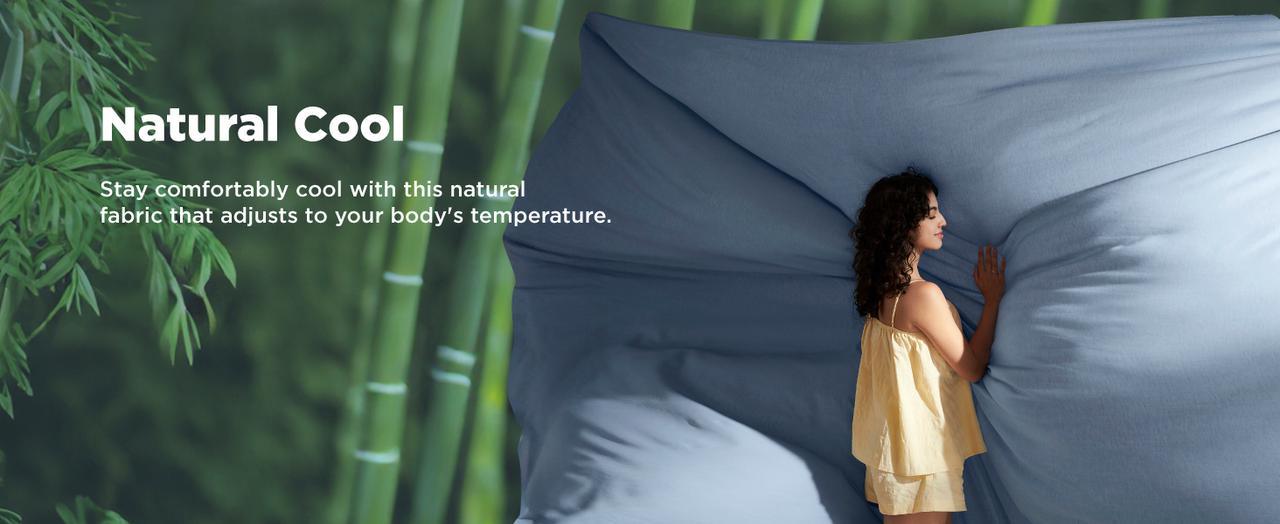
  Materials like bamboo rayon and linen are becoming increasingly popular due to their superior qualities. These materials offer a perfect combination of comfort, breathability, and eco-friendliness, making them ideal for the summer months. In this blog, we will explore the advantages of bamboo rayon and linen, and how their unique properties can provide you with a cool and refreshing sleep experience during the hottest nights. I. Advantages of Bamboo Rayon 1.1 Breathability and Moisture-Wicking Bamboo rayon is renowned for its excellent breathability. The fabric allows air to circulate freely, helping to regulate your body temperature throughout the night. This high level of breathability ensures that you stay cool and comfortable, even on the warmest nights. In addition to its breathability, bamboo rayon also has exceptional moisture-wicking properties. It efficiently absorbs sweat and moisture from your body, keeping your sleep environment dry and comfortable. This prevents the clammy, sticky feeling that often accompanies humid summer nights. 1.2 Natural Antibacterial Properties One of the standout features of bamboo rayon is its natural antibacterial and anti-mite properties. This makes it an excellent choice for those with sensitive skin or allergies. The antibacterial nature of bamboo rayon helps to create a healthier sleep environment by reducing the presence of allergens and bacteria. 1.3 Eco-friendliness and Sustainability Bamboo is a highly sustainable resource. It grows rapidly, requires minimal water, and doesn't need pesticides. Bamboo rayon is both renewable and biodegradable, making it an environmentally friendly choice for your bedding. By choosing bamboo rayon, you are contributing to a more sustainable future while enjoying its luxurious comfort. II. Advantages of Linen 2.1 Comfort and Durability Linen fibers are naturally soft and strong, providing a unique combination of comfort and durability. Linen becomes softer with each wash, enhancing its comfort over time. Despite its softness, linen is incredibly durable and can withstand frequent washing without losing its integrity. 2.2 Temperature Regulation Linen is known for its excellent temperature regulation properties. It keeps you cool in the summer and warm in the winter, making it a versatile choice for all seasons. During the summer, linen's breathability and moisture-wicking abilities help to keep you cool and dry, ensuring a comfortable night's sleep. 2.3 Eco-friendly Properties Linen is made from the flax plant, which requires less water and fewer pesticides compared to other crops. This makes linen an environmentally friendly choice. The production of linen has a lower environmental impact, contributing to a more sustainable lifestyle. III. Combined Advantages of Bamboo Rayon and Linen 3.1 Dual Breathability and Moisture-Wicking When combined, bamboo rayon and linen provide unparalleled breathability and moisture-wicking capabilities. This blend ensures that air flows freely through the fabric, while moisture is efficiently absorbed and evaporated. The result is a sleep environment that remains dry and comfortable, even in the hottest and most humid conditions. 3.2 Enhanced Durability and Comfort The combination of bamboo rayon and linen creates a fabric that is both durable and incredibly comfortable. The strength of linen enhances the longevity of the fabric, while the softness of bamboo rayon adds a luxurious feel. This blend meets the highest standards of sleep quality, offering long-lasting comfort. 3.3 Eco-friendly and Healthy Sleep Both bamboo rayon and linen are eco-friendly materials. Their combined properties support a sustainable lifestyle, reducing environmental impact. Additionally, the natural antibacterial properties of bamboo rayon contribute to a healthier sleep environment, providing peace of mind and promoting well-being. IV. Maintenance Tips 4.1 Maintenance and Care Tips Proper care and maintenance can extend the life of your bamboo rayon and linen bedding. Machine wash the bedding in cold water on a gentle cycle using mild detergent. Avoid bleach, as it can damage the fibers. To prevent wrinkles, remove the bedding from the dryer promptly and lay it flat or hang it to finish drying. Regular washing will keep the fabric soft and fresh. Conclusion In conclusion, the combination of bamboo rayon and linen offers a unique blend of comfort, breathability, and eco-friendliness, making it the perfect choice for summer bedding. These materials provide superior moisture-wicking and temperature regulation, ensuring a cool and refreshing sleep experience. You are investing in a sustainable and healthy sleeping environment by choosing bamboo rayon and linen. Embrace the luxurious feel and practicality of these materials, enjoying an unparalleled sleep experience every night.  

Keep reading

Add more to unlock a free gift.

+$79 Free Shipping

Add more to unlock a free gift.

+$79 Free Shipping